
Google EDLA in schools: Why is it crucial?
A modern school is not only about digital whiteboards and interactive lessons, but also a huge responsibility for protecting students' personal data and the security of the entire IT infrastructure. With the growing popularity of Android touchscreens in educational institutions, the question arises: how to ensure these devices do not become a gateway for cyberthreats? The answer is the Google EDLA certificate in school - a standard that revolutionizes the approach to security and convenience when working with interactive displays.
What is Google EDLA certification?
EDLA (Enterprise Devices Licensing Agreement) is an official certification program created by Google for large-format and business devices running on Android. An interactive display with this certificate, e.g. Avtek TS 9 Mate G, is officially approved by Google as meeting rigorous security, performance, and operational compatibility requirements.
For an educational institution, this means access to the official Google Services ecosystem with a guarantee that the device's firmware is free from vulnerabilities and unauthorized modifications.
3 pillars of security provided by the EDLA certificate in school
-
Full protection of the school network and data (GDPR)
Uncertified displays often use unofficial versions of Android that do not receive regular security patches. The EDLA certificate in school guarantees access to Google Play Protect, which scans applications in real time for malware and spyware. This prevents student personal data leaks and protects the school Wi-Fi network from infection.
-
Safe and legal access to Google Workspace and the Play Store
Teachers no longer need to use unverified installation files (APKs) from unknown sources to download a needed educational app. An EDLA-certified device offers factory-installed, full access to the official Google Play Store. Logging into Google Workspace for Education accounts (Google Drive, Docs, Classroom) takes place using official, encrypted protocols.
-
Easy management for the school IT administrator
Thanks to compliance with Google standards, the school IT administrator can easily implement security policies, remotely manage the fleet of displays, block unwanted applications, or enforce system updates. This saves a huge amount of time and guarantees that all devices run on up-to-date, secure software versions.
Comparison: EDLA-certified display vs. Uncertified display
| Feature / Function | Google EDLA-Certified Display | Uncertified Display |
| Official Google Play Store | Available out of the box | None or unofficial solutions |
| Google Play Protect | Active (real-time scanning) | No protection |
| Security updates | Regular and delivered directly | Rare or no support |
| Integration with Google Workspace | Full, direct login | Limited, requires using a browser |
| Compliance with IT / GDPR requirements | High | Increased risk of an incident |
A safe long-term investment
Choosing equipment for a school is a long-term decision. By investing in solutions that support digital security, principals and governing bodies gain confidence that the school meets the highest data protection standards.
Are you planning to equip classrooms with modern technology? Check out our offer of interactive displays and ensure safe education in your institution!
Check out similar articles
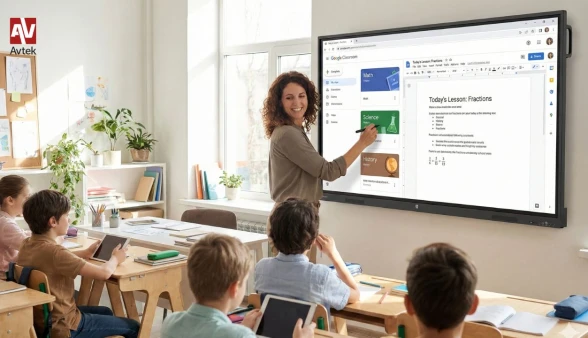
Interactive moniotor or interactive whiteboard with a projector - What to choose for a modern school?
Faced with the challenge of equipping an educational facility with modern multimedia equipment, school directors and governing bodies face a key dilemma. Choosing the right technological solution is of fundamental importance for the quality of classes conducted, the comfort of teachers' work, and the effectiveness of knowledge acquisition by students. The market offers two main solutions: a modern interactive display and a classic set consisting of an interactive whiteboard and an ultra-short-throw projector. Although both devices serve for digital interaction, they differ diametrically in technological, financial, and utility terms.
Image quality, brightness, and readability in daylight
The primary difference determining comfort of work in the classroom is the way the image is generated and displayed. An interactive display acts as a large-format screen with 4K UHD resolution, emitting its own light. Thanks to this, the image is crystal clear, expressive, and saturated with colors, and lessons can be conducted without the need to pull down blinds or shutters on sunny days. In turn, an interactive whiteboard with a projector relies on reflecting the light of the projector lamp. This requires ideal room blackout, because in natural sunlight the image becomes faded and contrast drops drastically, which negatively affects the eyesight of students sitting in the back rows.
The problem of shadows, reflections, and ergonomic comfort
Working in front of a traditional whiteboard with a projector is associated with the burdensome problem of shadows. A teacher or student standing by the board blocks part of the displayed content with their body, and the light of the projector lamp often glares in their eyes. In the case of an interactive display, this problem disappears completely. The user can stand directly next to the screen without casting any shadow. Additionally, modern displays have matrices covered with special anti-reflective glass, which eliminates reflections from ceiling lamp light.
Operating costs, durability, and reliability
When analyzing the total cost of ownership of the equipment, one must consider not only the purchase price, but also expenses over a perspective of several years. Projector sets generate hidden operating costs – projector lamps undergo natural wear and tear and require costly replacement every few years, and air filters must be cleaned regularly. Projectors are also prone to touch calibration drift upon stronger impacts against the wall. An interactive display is a fully maintenance-free device, with a matrix lifespan estimated at over 50,000 hours of continuous operation. Touch is permanently integrated into the panel, making calibration unnecessary.
Government programs and matching modern standards
Implementing purchases under programs schools are increasingly abandoning outdated projection technologies in favor of displays. Displays offer a built-in Android system, access to an educational app store, and software packages for creating interactive lessons without the need to connect an external computer. Tempered glass with a 7H hardness ensures resistance to mechanical damage, which is of key importance in school conditions.
The choice of an interactive display constitutes a forward-looking investment that completely eliminates problems related to servicing, ensures excellent visibility at any time of day, and guarantees high comfort of didactic work.
5 things you need to know before buying an interactive monitor for a school in 2026
A modern school needs solutions that keep up with students and make teachers' work easier. The digital board in the classroom has already become a standard, but choosing the right equipment can be a challenge. What should guide you when choosing an interactive display for a school? Is it worth replacing a traditional projector with one, and which parameters deserve special attention? Read our practical guide!
Interactive monitor or projector with a screen - which works better in the classroom?
For years, the foundation of multimedia equipment consisted of sets comprising a projector and a screen or an interactive whiteboard. Today, touch LED displays are becoming the heart of AV equipment for education. Why are educational institutions moving away from projectors more and more often?
A teacher or student standing at the display does not block the projected image with their own shadow, and the light from the lens does not shine in their eyes.
Projectors require regular replacement of expensive lamps and filter cleaning. An interactive display operates maintenance-free for tens of thousands of hours.
High brightness and a matte anti-glare coating make the image clear even in brightly lit classrooms, without the need to pull down the blinds.
5 things you need to pay attention to before buying a display for a school
When choosing a display for a classroom, it is worth analyzing several key technical and operational parameters:
1. Screen size (diagonal)
For a standard classroom (for 25-30 students), a 75-inch display is the optimal choice. It provides excellent readability even from the back desks. In smaller rooms or therapy rooms, a 65-inch model will work well, while for large auditoriums, an 86-inch model is worth considering.
2. Durability and safety (Tempered glass)
In a school environment, equipment must be resistant to accidental impacts. Good displays designed for education feature a front panel made of tempered glass and a solid, metal housing.
3. Operating system and ease of use
A teacher should not waste time on complex equipment configuration during a lesson. Look for displays with a built-in Android system that boot up in seconds and offer an intuitive interface – reminiscent of using a smartphone or tablet.
4. Number of touch points
A modern interactive display for a school should support at least 20-40 simultaneous touch points. Thanks to this, two or three students can work at the screen at the same time (e.g., solving tasks or drawing).
5. Interactive software
The hardware itself is not everything. Key is the lesson software, which allows writing on the screen, importing PDF materials, using ready-made templates (e.g., sheet music, lines, grid), or attaching interactive quizzes.
See interactive displays from Avtek
Frequently asked questions (FAQ) - We answer questions from teachers and principals
Does an interactive display require connecting a computer?
No. Most modern interactive displays have a built-in Android system. This means they operate as standalone devices – you can browse the internet, open Office files, write on a virtual whiteboard, or play videos on them without connecting an external laptop. However, if a teacher prefers to work on their own computer, all it takes is connecting it to the display with a single cable.
Can you write on the display with a regular marker?
No, special styluses included in the set or simply... your own finger are used on the surface of the display! Touch technology precisely recognizes line thickness and erasing content with your palm.
How to mount the display in a classroom?
Displays can be hung directly on the wall using a bracket. An alternative is mobile wheeled stands, which allow for easy movement of the display between different classrooms (check our electric stand Avtek TS Electric Stand Light). Another solution is the wall-to-floor mounting system Avtek PylonLift enabling smooth, mechanical adjustment.
What if the school plans to purchase through co-financing / grants?
AV equipment purchased from government or EU programs must meet specific formal and technical requirements (e.g., appropriate warranty period, safety certificates, port specification). It is worth choosing suppliers who offer support in preparing tender specifications.
Invest in equipment that will serve for years
Choosing the right interactive display for a school is an investment for years that genuinely raises the quality of teaching and engages students. By choosing proven AV solution manufacturers, an institution gains not only solid equipment, but also full technical support, a warranty, and training for teaching staff.
Are you planning to equip classrooms or laboratories in your school?
Check out our offer of Avtek interactive displays.
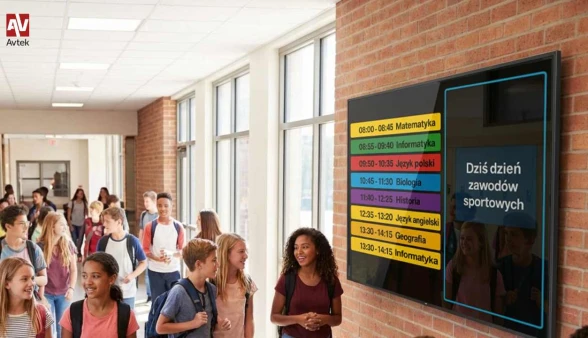
Modern interactive displays - flexible Digital Signage systems for business and education
Traditional information media are slowly becoming a thing of the past, giving way to dynamic digital solutions. Today, a professional interactive display is the foundation of modern visual communication. Digital signage systems are no longer the exclusive domain of large corporations – thanks to their tremendous flexibility, diverse sizes, and intuitive content management, they find application wherever fast, engaging, and effective messaging matters. From office spaces and educational institutions to the dynamic world of retail.
Comprehensive equipment for conference rooms and office spaces
In the modern business environment, an efficient flow of information is the key to productivity. Today, large-format screens are a must-have for conference rooms, reception areas, and open-space offices. In smaller meeting rooms (so-called huddle rooms), compact 43- or 55-inch screens work perfectly, guaranteeing excellent readability of presentations and charts without overwhelming the interior. On the other hand, in prestigious boardrooms or auditoriums, screens with an impressive size of 86 or even 98 inches successfully replace traditional projectors. They provide perfect image sharpness without the need to dim the room, as well as seamless integration with video conferencing systems.
A revolution in education: the end of traditional corkboards
Interactive displays are also redefining the way schools, kindergartens, and higher education institutions communicate with students, parents, and teaching staff. The main school lobby or a kindergarten hallway are ideal places to implement digital signage technology. Instead of chaotic paper announcements, dynamic screens allow for:
Instant display and updating of class schedules or substitutions.
Showcasing school achievements, event coverage, and photos.
Convenient and secure delivery of organizational announcements for parents in kindergartens.
Replacing traditional corkboards with modern displays raises the institution's prestige, helps maintain the aesthetic of the interior, and, above all, drastically shortens the time needed to change the display.
Retail Segment – modern advertising that catches the eye
In the retail and services sector, the fight for customer attention is fiercest. Static posters in shop windows rarely manage to break through the information noise. This is where professional digital signage displays come into play. Dynamic video spots, moving graphics, and smoothly changing restaurant menus (so-called digital menu boards) act like a magnet on the human eye. These systems allow for centralized content management – a retail chain can change prices, introduce an hourly promotion (e.g., Happy Hours), or adapt the offer to the current weather outside in a fraction of a second. This is a powerful marketing tool that really increases the average shopping cart value.
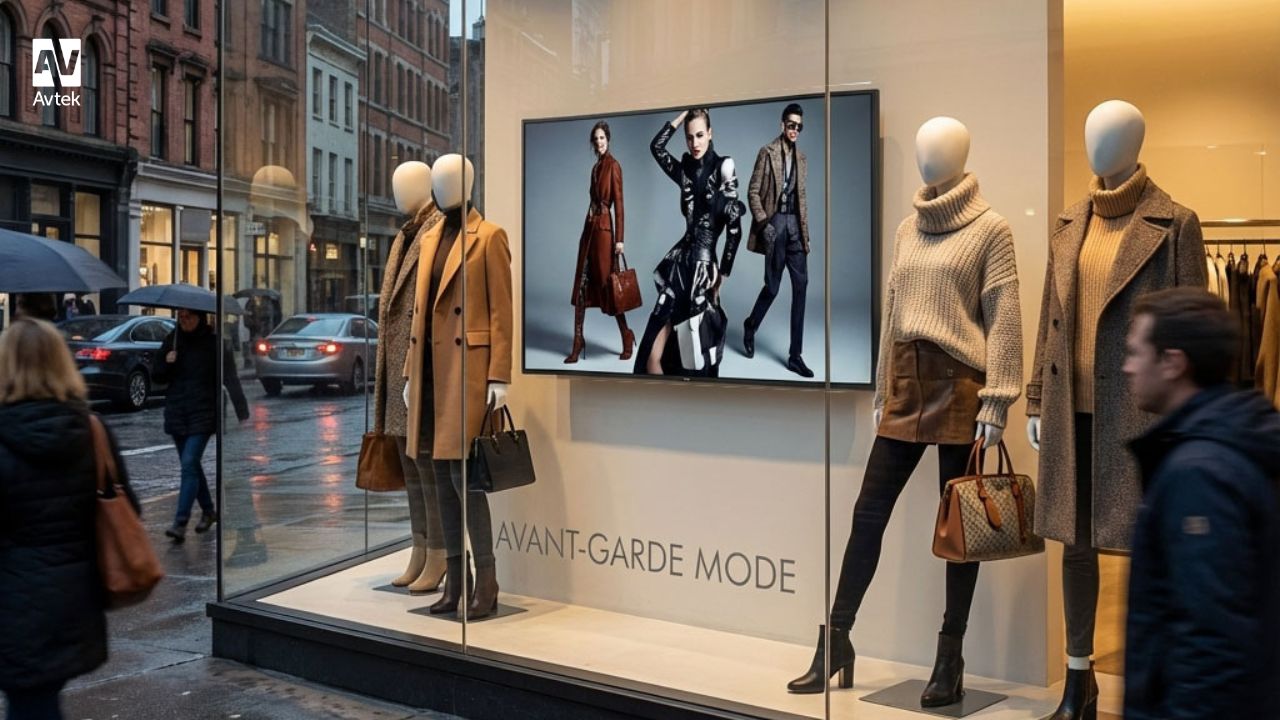
Flexibility tailored to your needs – from 43 to 98 inches
The greatest advantage of modern information display systems is their incredible scalability. Whether you need a discreet room booking screen or a giant advertising medium, the Avtek product range offers a wide spectrum of sizes (from 43" to 98"). Importantly, professional interactive displays differ significantly from regular home TVs in their design. They are built for continuous operation (in 16/7 or 24/7 modes), feature much higher brightness panels to prevent light reflections, and can operate in both landscape and portrait orientations, which opens up completely new possibilities for space arrangement.

Avtek is Number 1 in Poland! Another year on the podium
We have every reason to be proud! We are thrilled to announce that according to the latest Futuresource report, the Avtek brand has maintained its position as the leader of the interactive display market in Poland.
This recognition is particularly important to us because it confirms that our solutions remain the top choice for both the education and business sectors.
What is the secret to our success?
For us, being a leader isn’t just about statistics; it’s about a great sense of responsibility. We build our market position on a foundation of technology that simply works—providing intuitive solutions that make daily work and learning easier. Support at every stage of cooperation is key for us. We believe that selling a display is just the beginning of our journey together, which is why we provide full after-sales and technical care. This is all complemented by listening closely to our users—we constantly improve our products by analyzing your needs and suggestions.
Thank you for your trust!
This success would not be possible without you—our Customers and Partners. Your trust drives us to keep growing and delivering technologies that transform Polish schools and offices for the better.
